Gray Wolf Gaming Verification Failed: ID, Selfie, Proof of Address
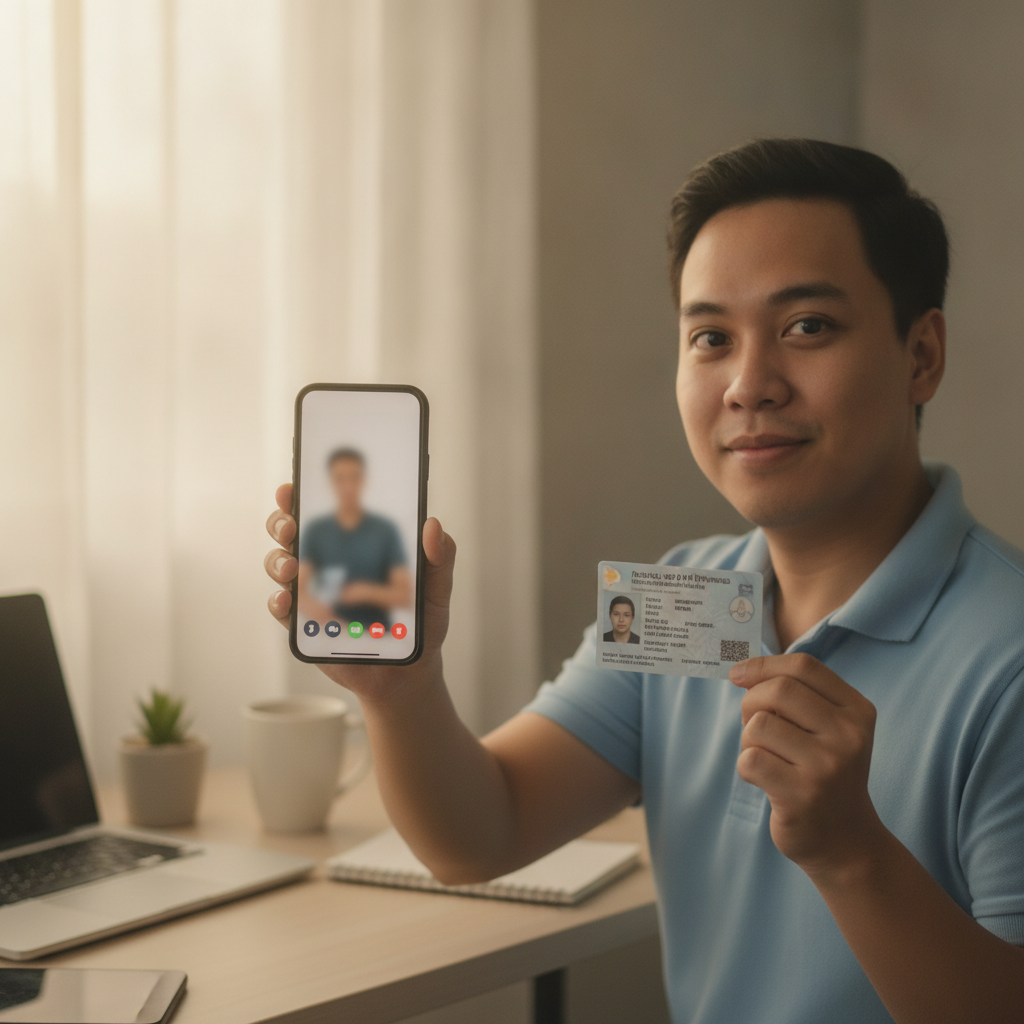
Why Gray Wolf Gaming Asks for ID and Proof of Address Before Cashout
Gray Wolf Gaming requires players to complete identity verification before processing withdrawals to GCash, Maya, or bank transfer. This check confirms that the person withdrawing funds is the same person who registered the account and deposited money.
The platform asks for three types of proof:
- Valid government-issued ID showing your full name, date of birth, and photo
- Proof of address dated within the last three months
- Selfie verification holding your ID or a handwritten note
Verification typically happens when you request your first withdrawal, though Gray Wolf Gaming may ask for documents earlier if your account activity or deposit size triggers a review. Players aged 21 and over can upload documents through the account settings or cashier section of the Gray Wolf Gaming app or mobile site.
This process protects both the operator and Filipino players. It prevents minors from gambling, stops fraudulent withdrawals to someone else's GCash or Maya account, and ensures that winnings go to the rightful owner. Most cashout delays trace back to incomplete or rejected verification, not payment processing itself.
Common Rejection Reasons: Blurry Photos, Expired IDs, Name Mismatch
Gray Wolf Gaming's verification team reviews hundreds of submissions daily. The most frequent reasons documents get rejected include:
Blurry or cropped photos. If the system or staff cannot read your ID number, full name, or expiry date clearly, they will reject the upload. Taking a photo in poor lighting or using a low-resolution phone camera causes most clarity issues. All four corners of your ID must appear in the frame, and text must be sharp enough to read without zooming.
Expired identification. Gray Wolf Gaming does not accept IDs that have passed their validity date, even by a single day. Check the expiry field on your driver's license, passport, or PhilID before uploading. If your document expired recently, renew it or submit a different valid ID.
Name mismatch between ID and account. The full name on your Gray Wolf Gaming account must match the name on your government ID exactly. If you registered using a nickname, initials, or a spouse's surname without updating your profile, verification will fail. Middle names and suffixes (Jr., III) must also align.
Proof of address does not show your registered address. Utility bills, bank statements, or government mail must display the same address you entered during Gray Wolf Gaming registration. If you moved recently or used a relative's address by mistake, the document will not pass.
Selfie verification issues. When Gray Wolf Gaming requests a selfie holding your ID or a handwritten note with today's date and "Gray Wolf Gaming," the photo must show your face clearly alongside readable document text. Wearing sunglasses, submitting someone else's photo, or obscuring your ID details leads to rejection.
Wrong document format or file size. The upload portal usually accepts JPEG or PNG files under 5 MB. Sending a PDF scan of your passport or a file that exceeds the size limit will return an error before review even starts.
Accepted Documents for Filipinos: Valid ID, Utility Bill, Bank Statement
Gray Wolf Gaming publishes a list of acceptable documents for Philippine players. Use these to avoid wasting time on paperwork that will not pass.
Valid government-issued ID
Choose one of the following:
- Philippine passport (biographical page with photo and signature)
- PhilID / PhilSys ID
- Driver's license issued by LTO
- SSS UMID card
- Postal ID
- Voter's ID with photo
- PRC ID (for licensed professionals)
- OFW ID or iDOLE card
Company IDs, school IDs, and barangay certificates are not accepted as primary identification. Your ID must be valid—not expired—and show your full legal name, date of birth, and a clear photo.
Proof of address
Submit one document dated within the last three months:
- Utility bill (Meralco, Manila Water, Maynilad, PLDT, Converge, Globe, Smart)
- Bank statement showing your name and residential address (BPI, BDO, Metrobank, UnionBank, etc.)
- Government correspondence (PhilHealth, SSS, BIR) with your address
- Barangay certificate of residency issued recently
The document must be a full page, not a cropped screenshot. If you receive bills electronically, download the official PDF from your provider's portal and upload it, or take a clear photo of a printed copy. The name and address must match your Gray Wolf Gaming account details exactly.
Selfie verification
When requested, hold your ID next to your face and take a well-lit selfie. Alternatively, Gray Wolf Gaming may ask you to write a note on plain paper with:
- Today's date
- The text "Gray Wolf Gaming"
- Your signature
Hold the note beside your face in the photo. Make sure both your face and the handwritten text are in focus.
How to Resubmit and How Long Re-Verification Takes
If Gray Wolf Gaming rejects your documents, you will receive an email or app notification explaining which file failed and why. Follow these steps to resubmit:
- Log in to your Gray Wolf Gaming account on Android or through the mobile browser.
- Navigate to the account or profile section, then find "Verification" or "KYC Documents."
- Delete or replace the rejected file. Some versions of the Gray Wolf Gaming app let you upload a new document directly; others require you to remove the old one first.
- Retake your photo in bright, natural light. Lay your ID flat on a dark, contrasting surface, hold your phone steady, and ensure all edges and text are visible.
- Check file size and format before uploading. Resize images larger than 5 MB using a free tool or your phone's built-in editor.
- Submit and wait for a confirmation message.
Re-verification typically takes 24 to 72 hours on business days. If you resubmit on a weekend or Philippine public holiday, expect an extra day or two. Gray Wolf Gaming does not offer a fast-track option, so correct all issues in one go rather than uploading hasty replacements.
What to do if re-verification keeps failing
- Contact support through the Gray Wolf Gaming app live chat or email. Provide your registered mobile number, account username, and a brief description of which document was rejected.
- Ask for specific guidance. Support staff can tell you if the rejection reason is a name spelling difference, a date legibility issue, or something else fixable.
- Do not create a second account. Opening a duplicate account to bypass verification will result in both accounts being closed and any winnings forfeited.
Once Gray Wolf Gaming approves all documents, your account status updates to "Verified" and the cashier unlocks GCash, Maya, and bank transfer withdrawals. Future cashouts process faster because you will not need to resubmit ID unless the platform requests an annual refresh.
Reminder: 21+ Only, Gamble Responsibly
Gray Wolf Gaming is restricted to players aged 21 and over. Identity verification exists in part to enforce this age limit. If you or someone you know is struggling with gambling, set deposit limits in your account settings or reach out to a local support service.
Gamble only what you can afford to lose. Cashout delays caused by failed verification can be frustrating, but taking a few extra minutes to photograph your documents clearly will save you days of waiting and get your winnings into your GCash, Maya, or bank account faster.